TriboSolver 3.3: more complete contact results and easier comparisons
TriboSolver 3.3: more complete contact results and easier comparisons
TriboSolver 3.3 for Windows was released on 1 November 2026. The release brings more complete contact results, clearer comparisons and a smoother path from setting up a simulation to interpreting its results.
More complete and consistent simulation results
Mixed Lubrication and Seizure now include plastic deformation of the surface in their contact results, using the same definition and units as Dry Contact. This makes it easier to inspect permanent surface change alongside the contact response.
Contact quantities use consistent names across solvers. Contact, lubricant and seizure outputs remain in their own groups, so results are easier to find and compare without changing terminology between models.
Compare calculations more easily
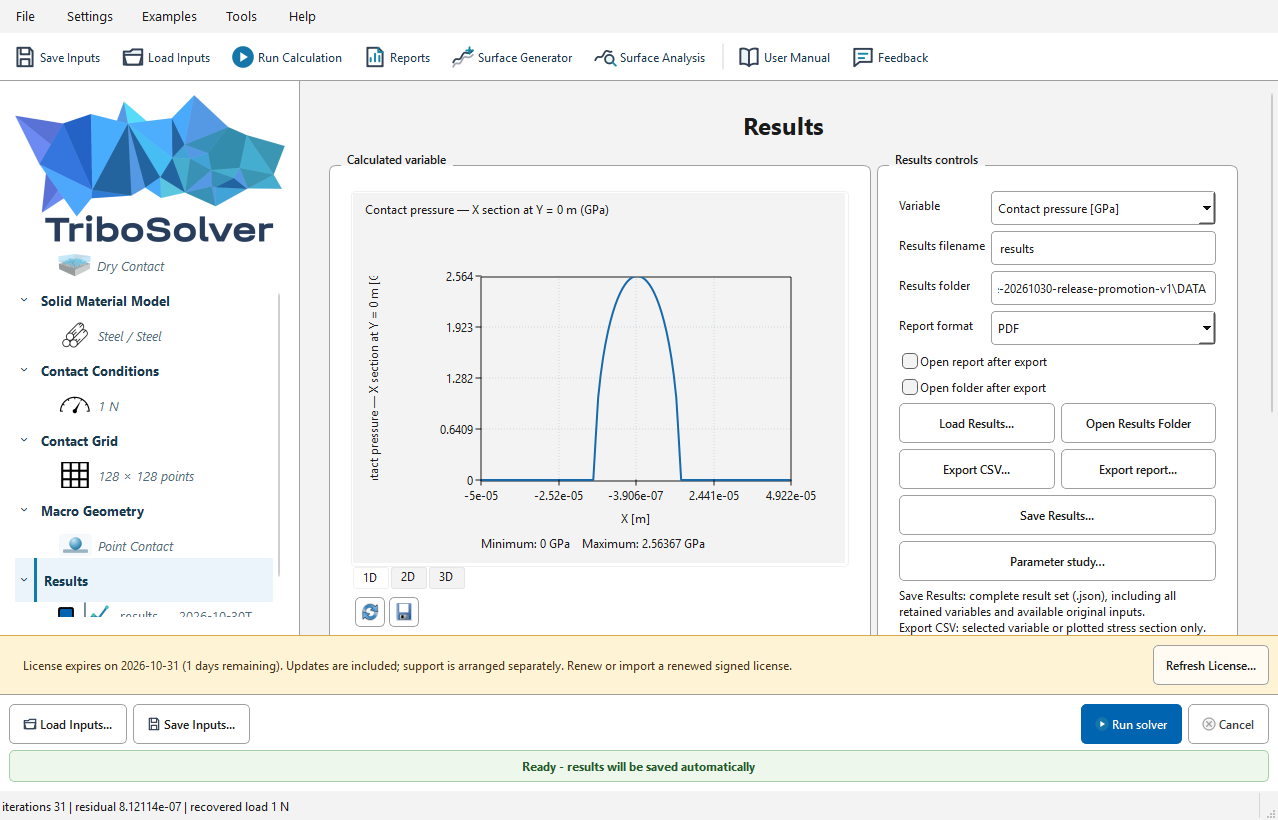
Scalar results can be compared in a table, with one row per result file. For field results, fitted 2D and 3D plots appear side by side and show their filenames. A cross-section position slider lets you explore the selected results over their combined coordinate range.
Plots use the same names as the interface. Controls and file details sit below the images, leaving more room to inspect the results.
A smoother setup-to-results workflow
Edits made immediately before clicking Run are applied to the calculation. JSON is the standard format for example inputs and saved results, making files more consistent across the workflow.
Updated worked examples and a manual with a title page, contents structure and consistent formatting make it easier to get started and find the information you need. Calmer selection colours and revised layouts improve day-to-day navigation.
Get TriboSolver 3.3
TriboSolver runs locally on Windows without MATLAB Runtime. Existing users need a valid signed solver licence. Close the application before replacing its folder, extract the complete package and retain the previous version for rollback.
Compare licences and access options for Personal, Professional, Academic, trial and company use.
Interpret results within the assumptions of the selected model and validate them for your application.
